Toxicity Detector
Keeping Young Minds Safe Online
A simple, intelligent browser extension designed to help parents and schools guide children toward a safer, healthier online experience. Monitor, protect, and nurture positive digital habits.

Powerful Features for Peace of Mind
Everything you need to guide your child toward a safe, healthier digital experience
Real-time Monitoring
Quietly analyzes websites as children browse, scanning content for inappropriate material without interrupting their experience.
Parent Notifications
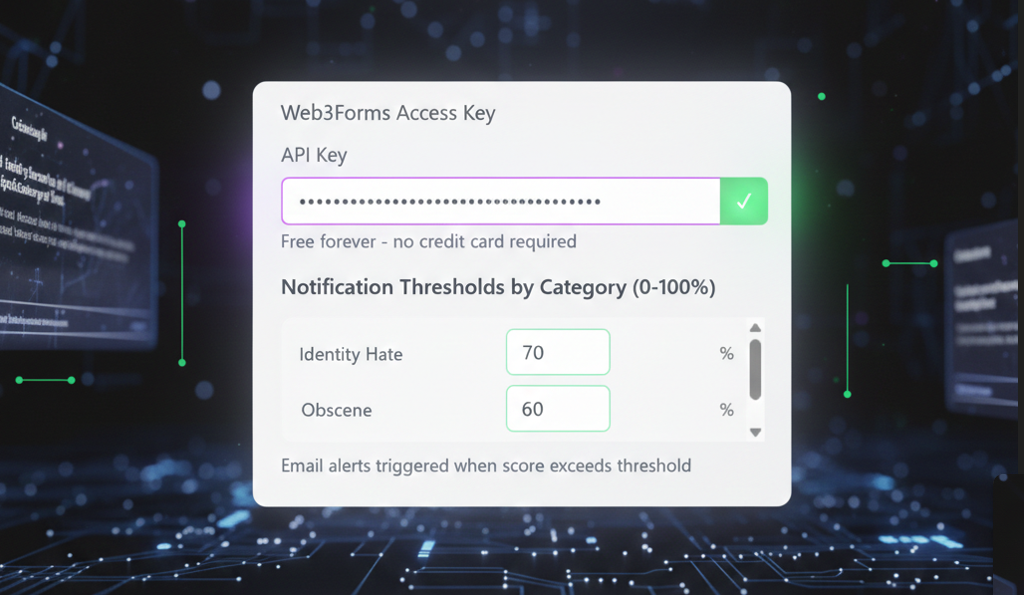
Instant email alerts when potentially harmful content is detected, keeping you informed and ready to take thoughtful action.
Password Protection
Secure master password prevents children from removing or altering the extension, ensuring continuous protection.
Adjustable Sensitivity
Customize detection levels based on your child's age, maturity, and your family's values for personalized protection.
Non-Intrusive Design
Works silently in the background without blocking legitimate exploration, supporting learning while maintaining safety.
Values-Based Filtering
Help protect children from content that may influence them negatively before they're ready to understand complex topics.
How It Works
Get started in minutes with our simple four-step process
Install the Extension
Quick and easy installation process. Add Toxicity Detector to your browser in seconds with no complicated setup required.
Configure Your Settings
Set up your master password, add your email for notifications, and adjust sensitivity levels to match your family's needs.
Browse with Protection
Your child explores the internet safely while Toxicity Detector analyzes content in real-time, working quietly in the background.
Receive Alerts
Get instant email notifications when concerning content is detected, allowing you to get involved and start conversations.
How to Use
Simple two-part setup: Configure Gemini API, then enable Web3Forms notifications
Setup Gemini API
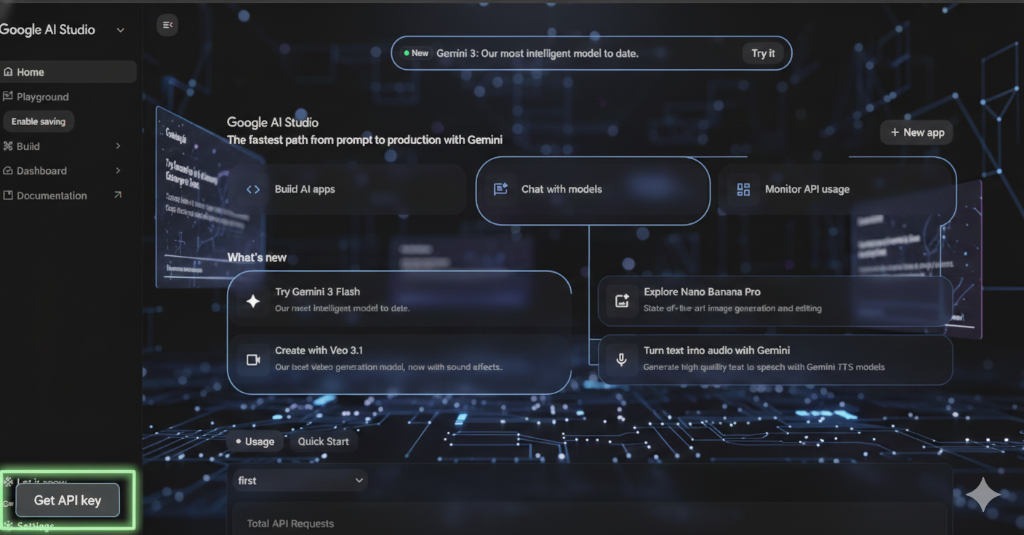
Go to Google AI Studio and click "Get API key" in the sidebar
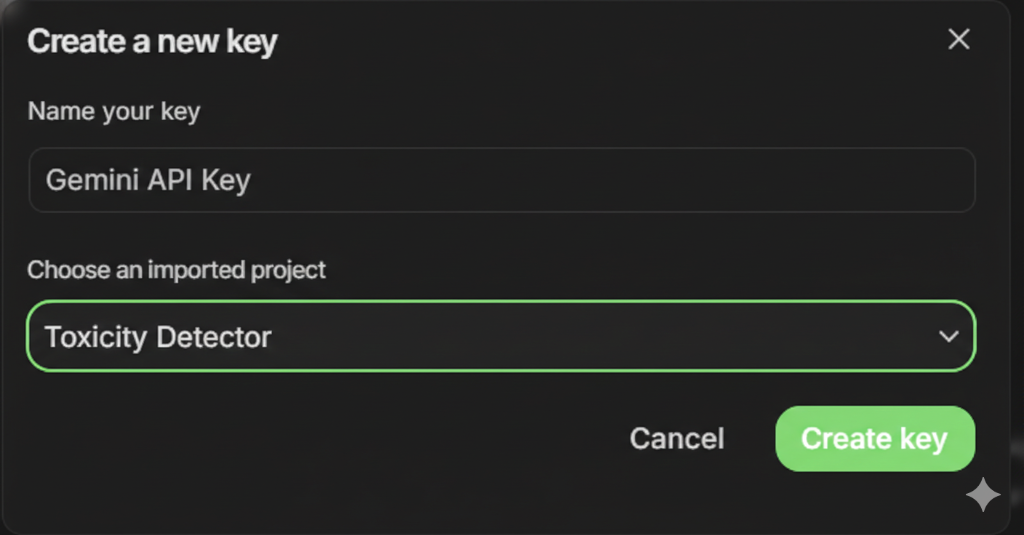
Create API key with name "Gemini API Key" and project "Toxicity Detector"
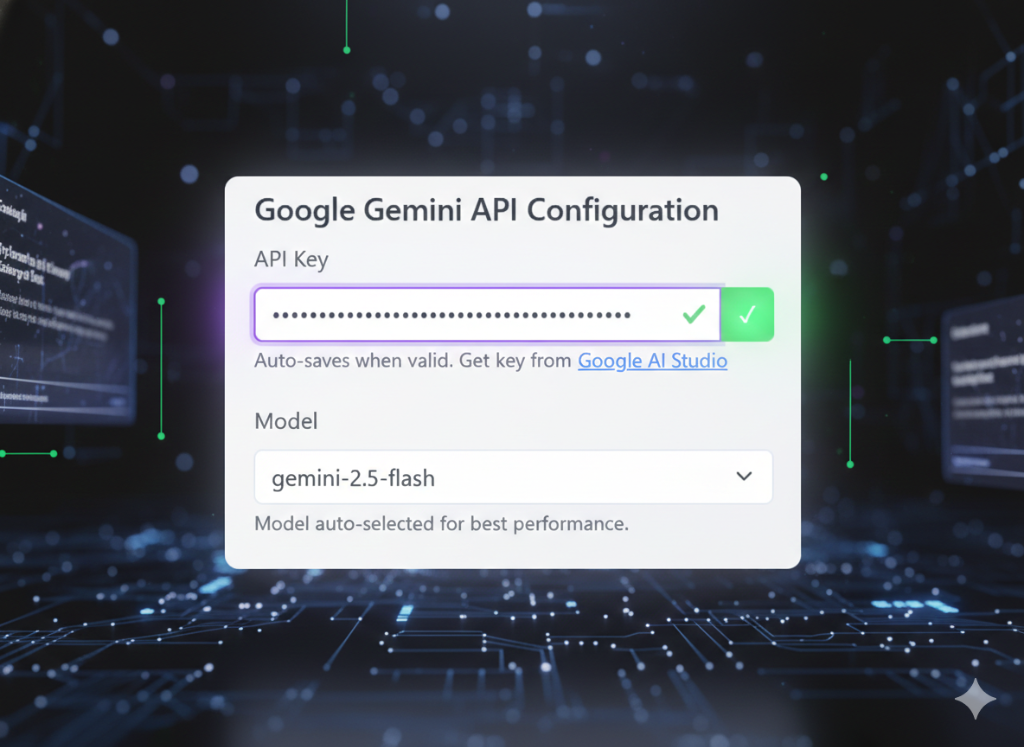
Copy the API key and paste it into Toxicity Detector extension settings
Setup Web3Forms
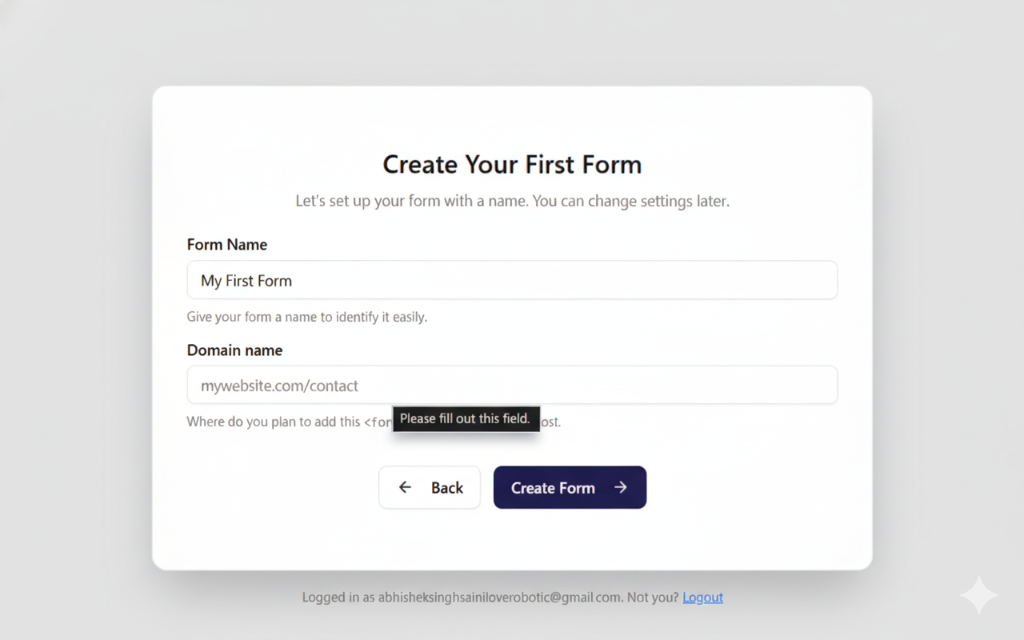
Create a new form with your form name and domain at Web3Forms
Copy your unique Form Access Key from the success page
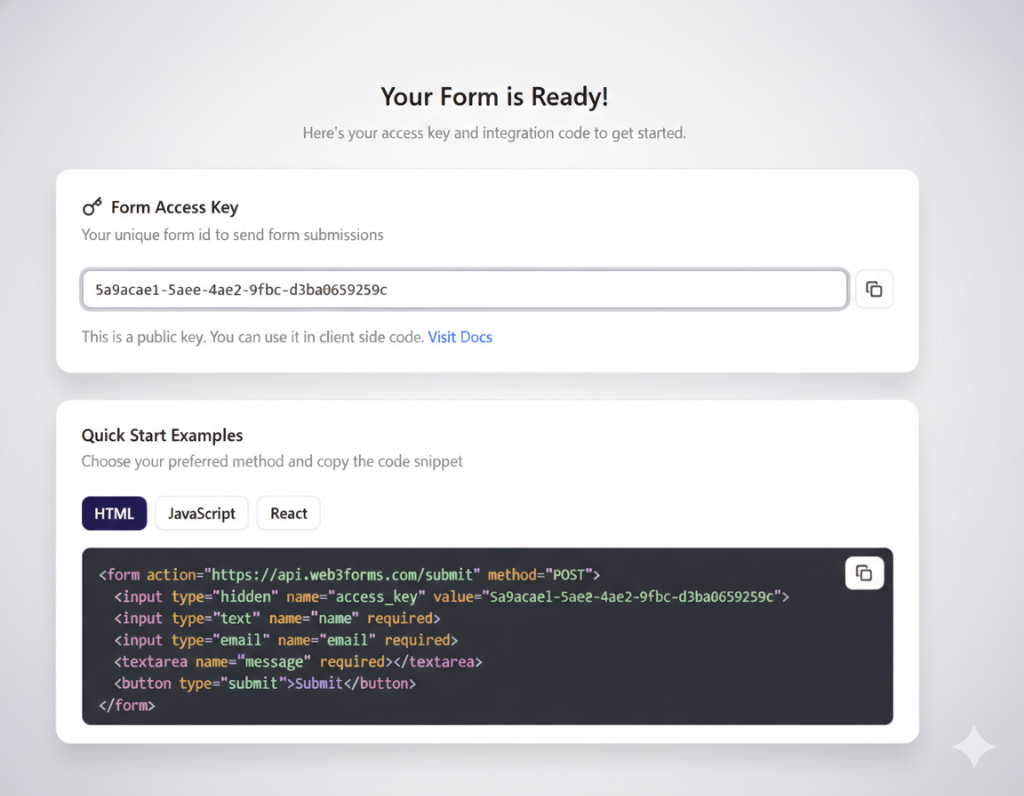
Paste the access key into the extension to enable email notifications